Get up and running in minutes
From zero to full resource access control — no custom firmware, no engineering degree required.
- < 1 day
- From unboxing to the first tap
- < 1 s
- From card tap to a running machine
- €0
- Upfront hardware cost — rent instead
The whole thing, end to end
Tap a card, start a machine, end the session, read the log. Everything on this page, in a few minutes.
The full demo video is in production
Until it goes live we will walk you through the whole system on a call — and answer the questions a video could not.
Book a live demoRecorded in a working makerspace, not a mockup.
What it looks like on the shop floor
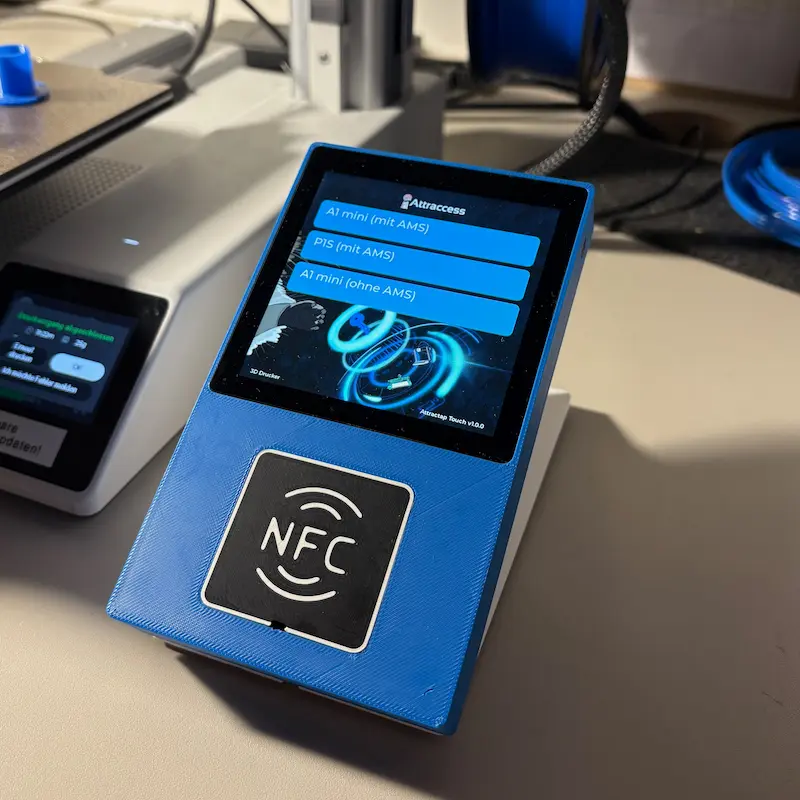
One small box next to each machine. That is the entire visible footprint.
An Attractap Touch next to a 3D printer: pick the resource on screen, tap to start.
Photo needed: someone tapping their card on an Attractap before starting work
Photo coming soonA member taps in before starting a job.
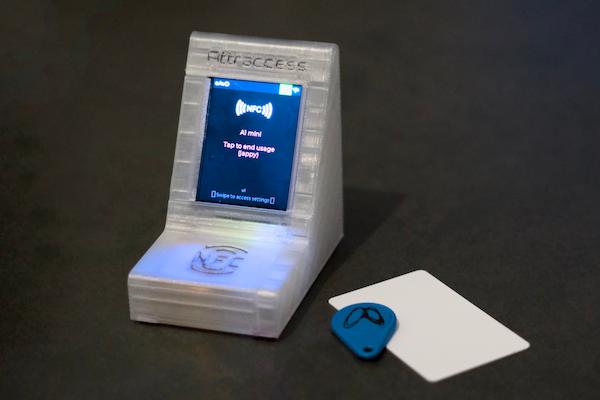
Any NFC card, fob or wristband your members already carry will work.
Photo needed: a workshop floor with several machines running
Photo coming soonA whole workshop running on Attraccess.
Photo needed: a member being trained on a machine
Photo coming soonTraining a new member on a machine — signed off in the app on the spot.
Attractap: the box that sits next to the machine
A small 3D-printed reader with a touch screen. It lists the resources it controls, takes the tap, and switches the machine. Power it over USB, connect it over Wi-Fi, and that is the installation.
- NFC & QR
- Reads standard MIFARE and ISO 14443 credentials, with QR as a fallback.
- Wi-Fi
- Connects over your existing wireless network. No cabling to run.
- Relay control
- Switches machines directly, or through Shelly devices over MQTT and HTTP.
- Updates over the air
- Firmware rolls out from the dashboard to every reader at once.
From an empty dashboard to a workshop under control
Five steps. None of them need a developer.
- Step 1
Define Resources
Add each machine, door, or tool as a resource in the dashboard. Give it a name, description, and upload a photo. Set requirements — like requiring training before access is granted.
- Name, photo, documentation link
- Training & certification requirements
- Group assignment for organization
- Step 2
Assign Access
Register NFC cards for each member and grant access to specific resources. Set training completion status and permission levels per resource.
- Register NFC cards via tap
- Per-resource access grants
- Training completion tracking

- Step 3
Deploy & Use
Install an NFC reader or Shelly device next to each resource. Members tap their card — access is verified in milliseconds and the relay activates.
- Works with AttraTap NFC readers
- Shelly device integration for relay control
- Also supports QR codes and PWA-based access
- Step 4
Track & Automate
Monitor live sessions, export CSV logs, and trigger custom automation flows for notifications, ventilation, or any webhook.
- Live session monitoring dashboard
- CSV export for usage reporting
- Custom automation flows (MQTT, webhook, email)

- Step 5
Maintain & Scale
Set maintenance rules, auto-disable resources when maintenance is due, and notify technicians. Roll out firmware updates to NFC readers over the air.
- Automated maintenance scheduling
- Auto-lockout when maintenance is due
- Over-the-air firmware updates for readers

Ready to see it on your machines?
Tell us which machines cause the most friction and we will show you exactly how they would run on Attraccess.